Tasks
A task is a single concrete action you need to take. Tasks are the simplest unit in Glide — and intentionally so.
Creating a task
Give it a name that describes exactly what to do. "Email Dr. Chen to reschedule appointment" is more useful than "doctor stuff" — you won't have to think when you see it later.
Set a due date if the task needs to be done in the future. Tasks without a due date are due today.
Add notes if there's context you'll need later: a phone number, a link, a reminder of why this matters. You can also set an estimated time, which defaults to 25 minutes.
Notes
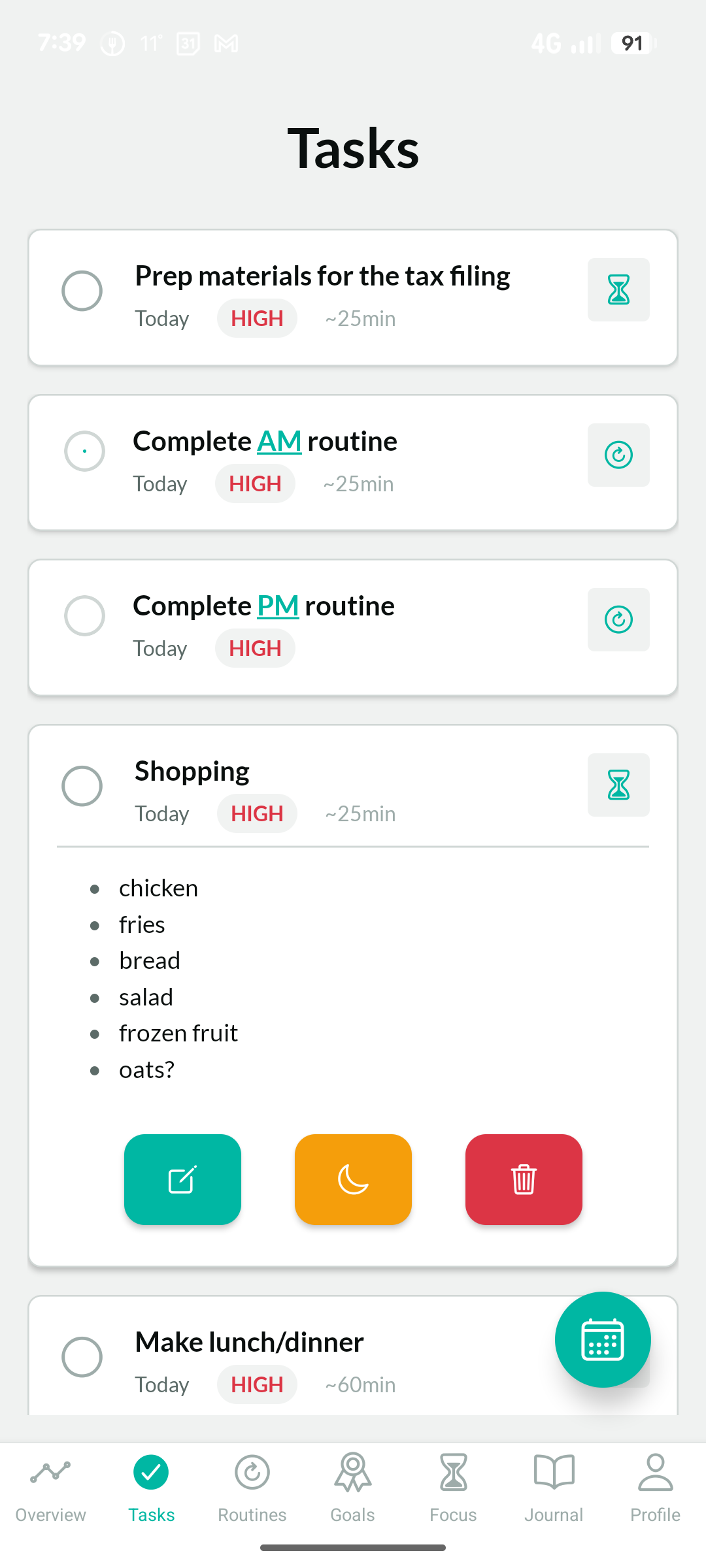
Tapping a task in the list expands it to show its notes, along with action buttons for edit, stash, and delete.
Notes are for short context — a phone number, a link, something you'll need when you're actually doing the task. Keep them brief. Tasks are ephemeral; once done, they're gone. If information needs to outlast the task, it doesn't belong in a note.
A task note is a sticky note, not a journal. Short enough to read at a glance — that's all it needs to be.
Focus timer
Tapping a task and hitting the focus timer button starts a session dedicated to that task. The timer is pre-loaded with the task's estimated time — whatever you set when you created it, defaulting to 25 minutes (one pomodoro) if you didn't. The task title and notes travel with it, visible on the timer screen so you have context while you work.
If a task feels like it'll take longer than 25 minutes, that's usually a sign it should be broken into smaller tasks. The only reason to adjust the duration is down — for something genuinely quick, like "load the dishwasher."
What tasks aren't
Tasks aren't projects. There are no subtasks in Glide, and that's intentional. Subtasks tend to become nested rabbit holes — hard to track, easy to feel buried by.
Tasks also aren't habits. Doing something every day belongs in a routine, not as a recurring task.
One action. One task. If it has multiple parts, split it into separate tasks. If it repeats daily, it's a routine.
How the task list is organized
The task list surfaces your most important and time-relevant tasks first. On most devices, only a handful of tasks are visible before you need to scroll. This is by design. You shouldn't have to manage an infinite list of tiny todo items. That's too overwhelming.
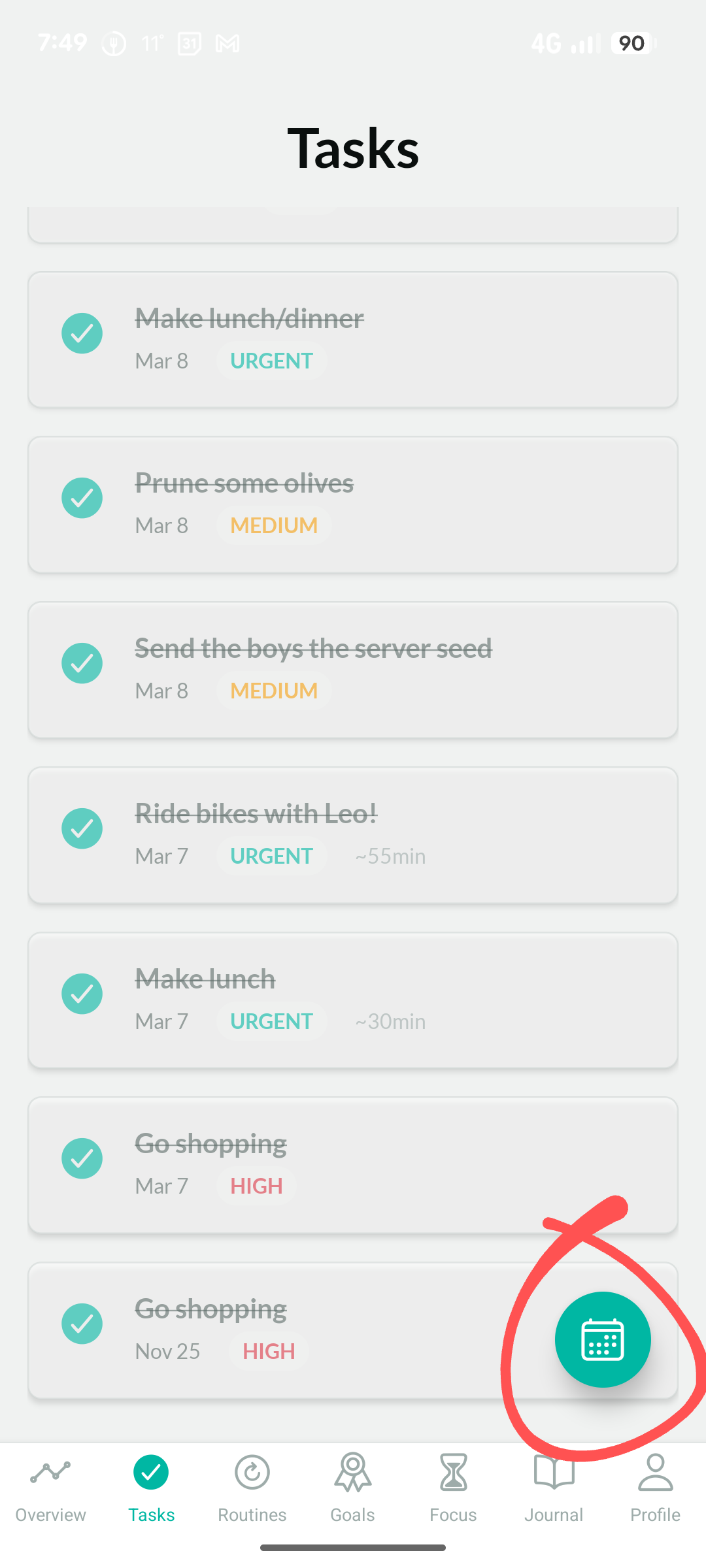
Your future tasks live off the top of your screen. Past and completed tasks live off the bottom of your screen. You can always scroll up or down to manage them.
The calendar button at the bottom resets the view to what's current and important. If you've scrolled up or down or been looking at something specific, tap it to get back to what matters right now.
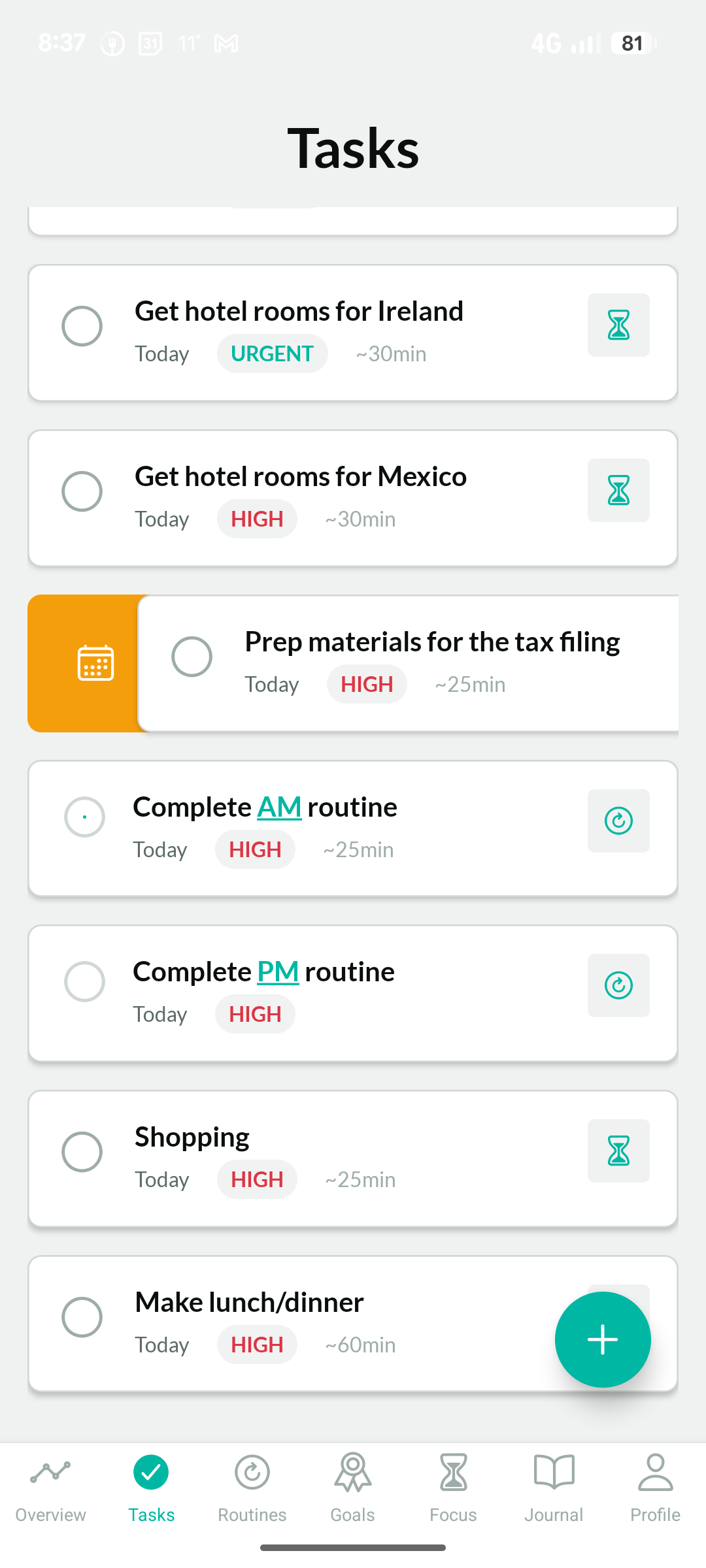
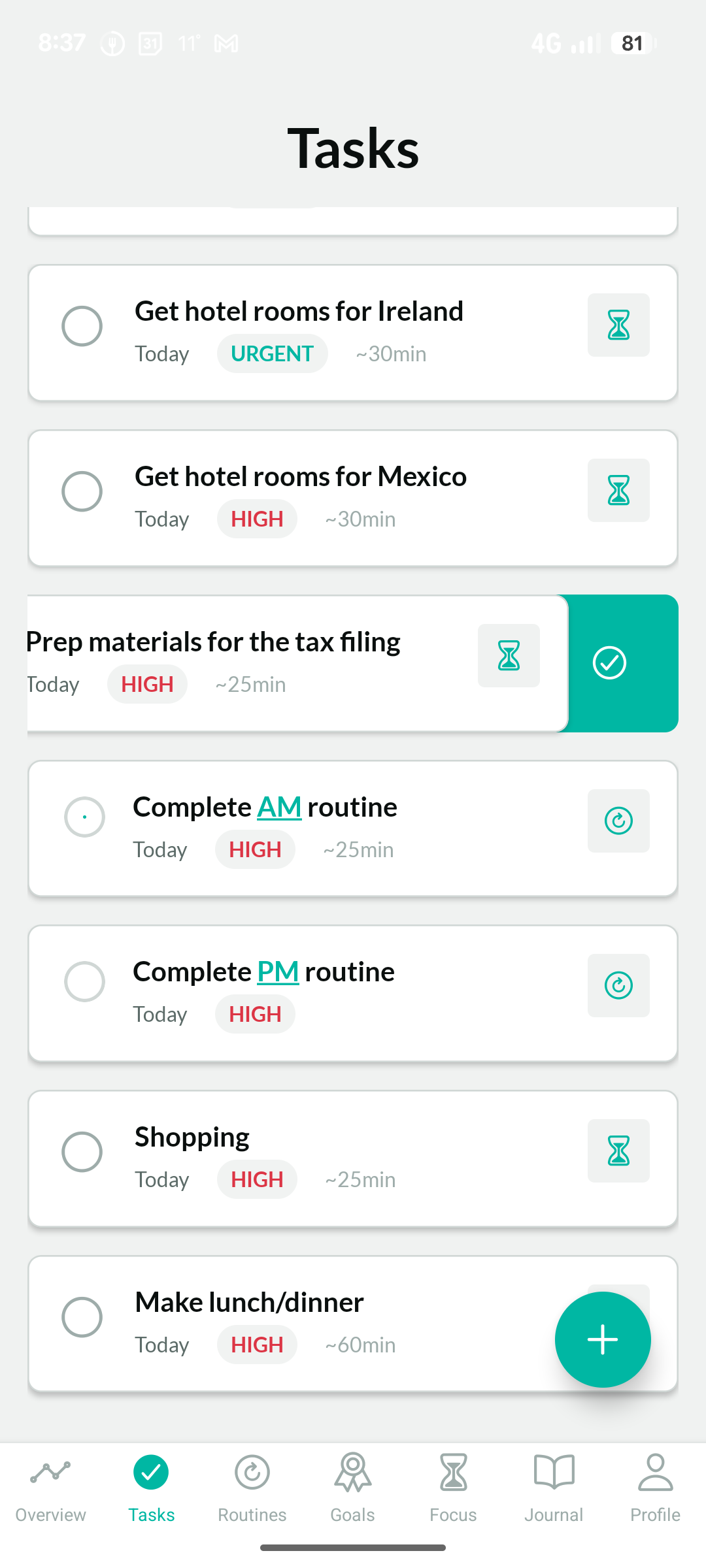
Swipe right on a task to defer it, or left to mark it as done.
The task list does the prioritizing for you. Your job is just to work through what's in front of you.
Priority
You can mark a task as urgent, high, normal, or low priority. Higher-priority tasks surface toward the top of the list.
Reserve high priority for things that genuinely need to happen today. Routines always have a high priority so that they stay prominent on your task list.
If everything is high priority, nothing is.
Deferring
Swipe right on a task to defer it. You can choose from several durations — a day, a week, a month. Deferring moves the task's due date forward, by default pushing it to tomorrow.
Deferring isn't failure. It's an acknowledgment that right now isn't the right moment, and a commitment that later is.
Getting something out of your view when you can't act on it is a form of taking care of yourself.
Stashing
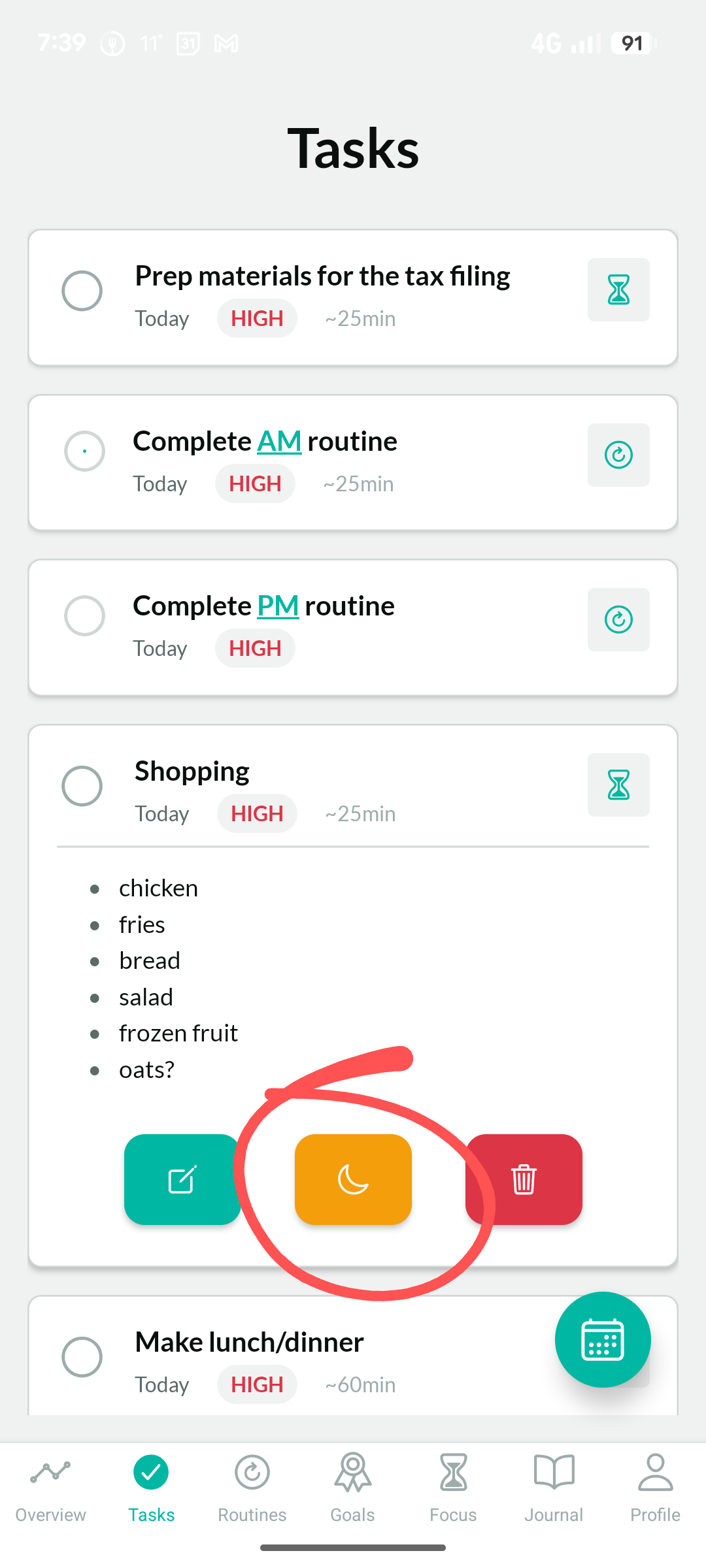
Stashing goes further than deferring. Stashing a task hides it completely — not just from your main view, but from future dates too. It won't appear anywhere until the stash period ends. Think of it as a drawer you put a strongly-worded letter into before you've had time to cool down.
By default, a stashed task stays hidden for 24 hours. That window gives you space to process whatever emotional charge the task is carrying before you have to look at it again.
The stash is an impulse-control tool. If a task is making you anxious, angry, or avoidant right now, the stash lets you set it aside without losing it — and without having to engage with it before you're ready.